

Description
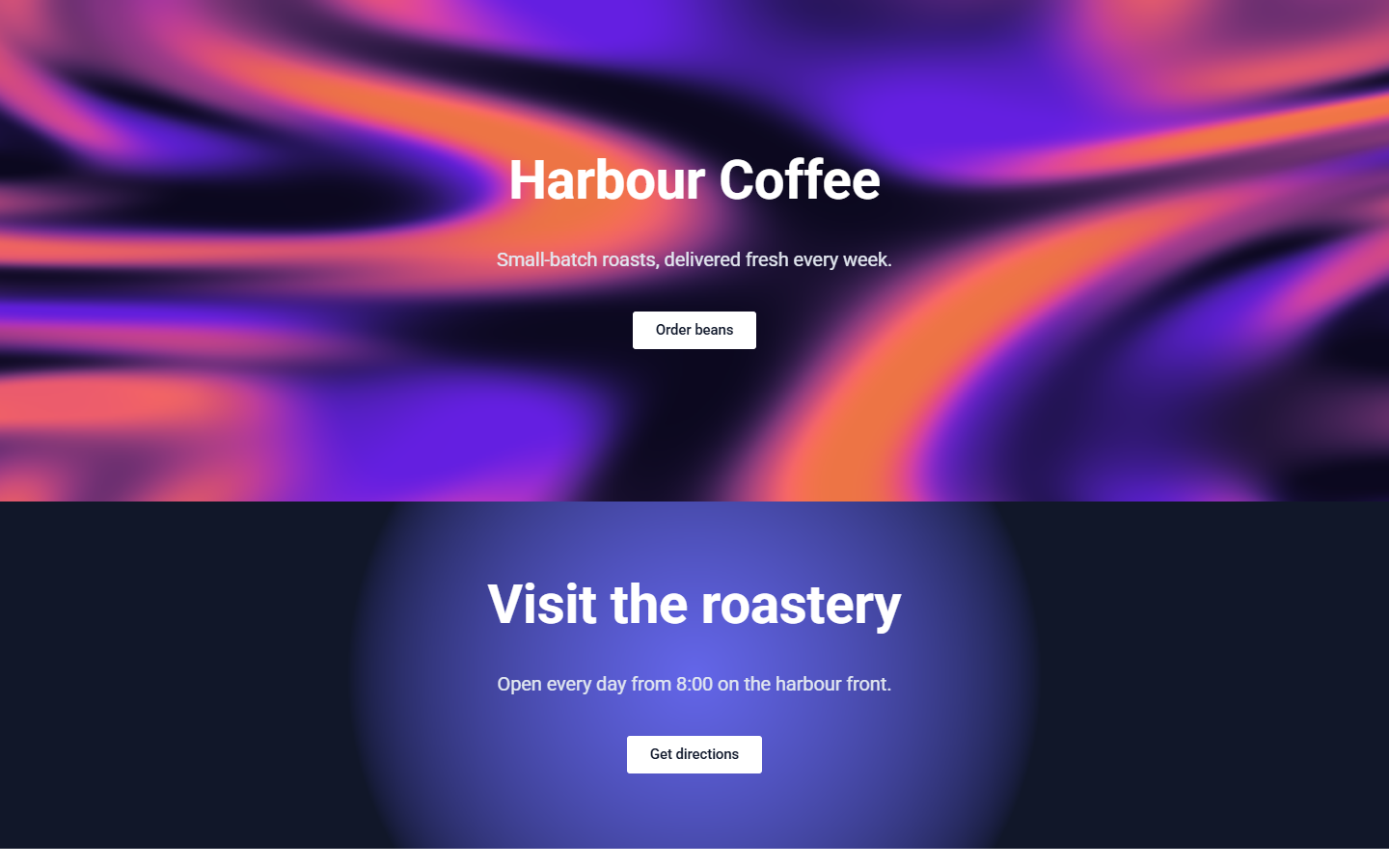
Enchoufable Shader Backgrounds gives sections, columns and containers an animated background that runs on the visitor’s graphics card (WebGPU). Your content stays on top and clickable.
Eight effects: Aurora, Dot grid, Flowing gradient, Linear gradient, Radial gradient, Simplex noise, Solid colour and Voronoi.
- Designer with live preview. Pick an effect and change its colours, speed, opacity and quality while you watch the result.
- Starter backgrounds. One click creates eight ready-made backgrounds to start from.
- Gutenberg. A Enchoufable Shader Backgrounds panel on Group, Cover, Columns and Column blocks.
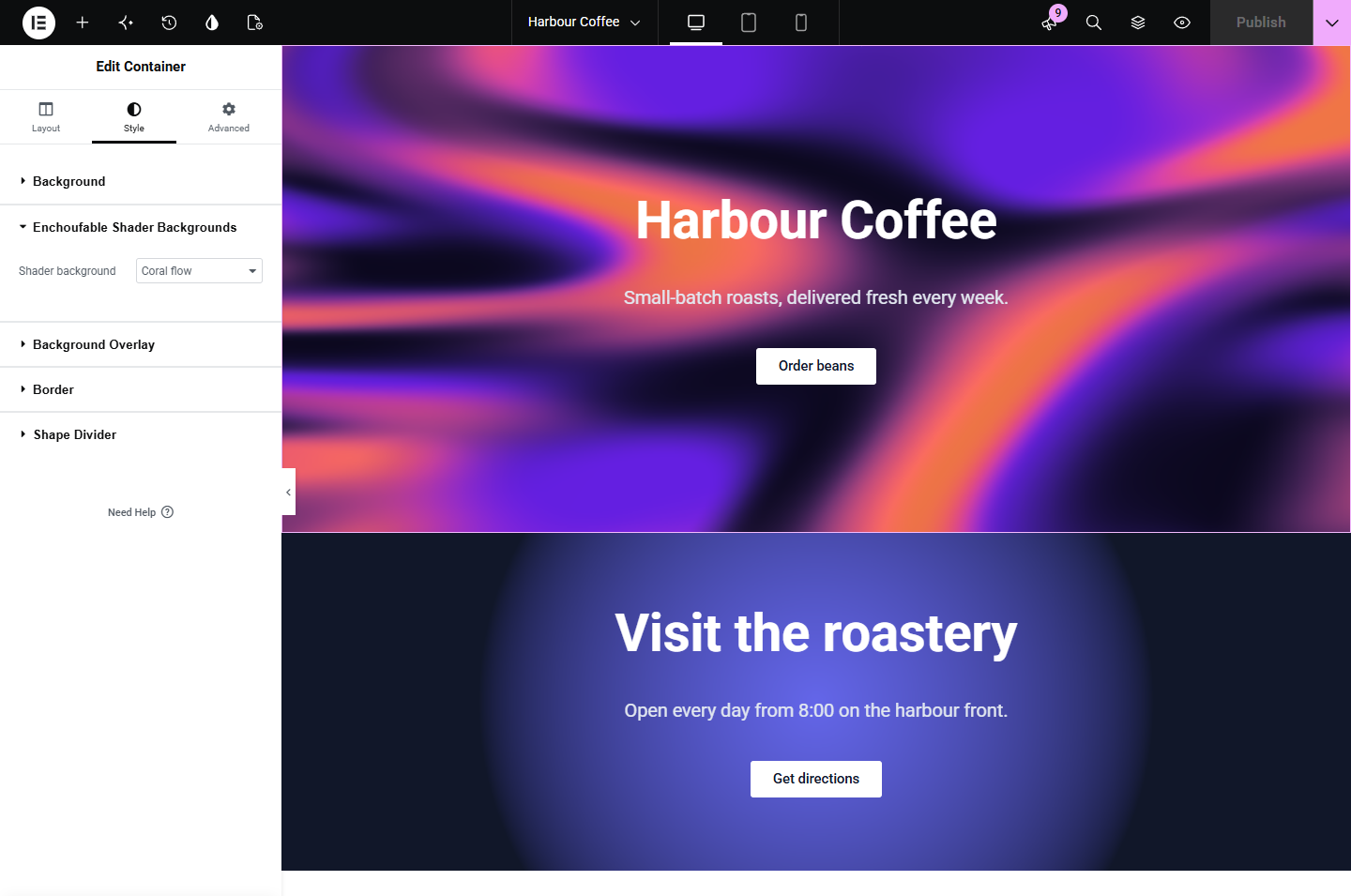
- Elementor. A Enchoufable Shader Backgrounds section on the Style tab of containers, sections and columns, with live preview in the editor.
- Any other builder. Paste the background’s CSS class (for example enchoufable-shader-123) into the class field of a row or section: WPBakery, Divi, Bricks, Beaver Builder, Oxygen and others.
- Placement rules. Target any element with a CSS selector, on one page or every page, without editing the theme.
- Shortcode. [enchoufable_shader id=»123″] places a background wherever shortcodes run.
- Considerate by default. Visitors who ask for reduced motion, and browsers without WebGPU, see a static fallback colour you choose. You can also make a background static on phones. A background only animates while it is on screen and pauses when the tab is hidden.
- Nothing loads from elsewhere. The renderer is bundled with the plugin, and its telemetry code has been removed. Pages call only your own site.
This plugin is free and complete as it stands. A separate premium version offers a larger library of 200 effects, layered compositions and twelve more starter backgrounds.
External services
Enchoufable Shader Backgrounds uses Freemius for the optional premium upgrade and, if you agree, for usage data.
- Opt-in. After activation, an administrator can choose to share data with Freemius, or skip. Only after opting in, Freemius receives: the site’s address, title and language; WordPress, PHP, plugin and SDK versions; the administrator’s first and last name and email address; whether the plugin is active, deactivated or uninstalled (with the reason, if given); and, unless you untick it, the names, versions and status of installed plugins and themes. You can opt out later from the plugin’s Account page.
- Upgrade and licence. If you buy or activate the premium version, Freemius handles checkout, the licence and its updates, and receives the site’s address to tie the licence to it.
Freemius terms of service and privacy policy.
Front-end pages never contact Freemius or any other outside service, and none of the eight effects loads images, video or other media. Only the site’s own REST endpoint (/wp-json/enchoufable/v1/presets) is called, to load background settings.
Source code
assets/engine.js is the open-source Shaders library (MIT), bundled with esbuild and not minified. Its build script and package.json are in the plugin’s source folder, with instructions in source/README.md. All other files are the source itself.
Screenshots



Installation
Upload this plugin ZIP and activate it. Open Enchoufable Shader Backgrounds, create a background, publish it, then apply the displayed enchoufable-shader-ID CSS class to a container. Original starter backgrounds can be created from Placement rules.
FAQ
-
Does it need WebGPU?
-
Yes, animation needs WebGPU and HTTPS or localhost. A static fallback colour is used otherwise.
-
Does it contact the Shaders library’s website?
-
No. The Shaders rendering library is bundled with the plugin. It needs no account, and its telemetry code is removed from the bundle.
-
Which builders work?
-
CSS classes/selectors work with ordinary DOM containers. Dedicated controls are included for supported Gutenberg blocks and Elementor sections, containers and columns. Other builders use CSS placement.
-
How do I use it with WPBakery, Divi, Bricks or Beaver Builder?
-
Put the background’s class, for example enchoufable-shader-123, in the builder’s CSS class field of a row or section (WPBakery: Extra class name; Divi: Advanced > CSS ID & Classes). Check the result on the published page; these builders’ editors may not show the animation. If a builder has no class field, use a rule under Enchoufable Shader Backgrounds > Placement rules.
-
Nothing appears. What should I check?
-
Make sure the background is published, the class is spelled exactly (enchoufable-shader-123) and the container has content or a minimum height; a shader cannot give an empty element its height. Then clear your page and CDN cache.
-
I only see a static colour, not the animation.
-
That is the fallback colour. It is shown when the site is not on HTTPS, the browser or graphics card has no WebGPU, the visitor asks for reduced motion, or «Static background on mobile» is ticked on a phone. Test in a recent Chrome or Edge on a computer.
-
The shader is drawn behind the container’s content, so any background inside it covers the shader: an Elementor Background Overlay, a Gutenberg Cover’s image or overlay, or a builder’s background colour, image, video or parallax layer. Turn those off or make them transparent.
-
It works when I am logged in but not for visitors.
-
Clear the page cache, then exclude the plugin’s scripts (search for «enchoufable») from «combine JavaScript» and «delay JavaScript» in your optimisation plugin, such as WP Rocket, LiteSpeed Cache or Autoptimize.
-
The animation stutters or the device gets hot.
-
Set Quality to Low, tick «Static background on mobile», or use fewer animated backgrounds per page.
Reviews
There are no reviews for this plugin.
Contributors & Developers
“Enchoufable Shader Backgrounds” is open source software. The following people have contributed to this plugin.
Contributors

Translate “Enchoufable Shader Backgrounds” into your language.
Interested in development?
Browse the code, check out the SVN repository, or subscribe to the development log by RSS.
Changelog
1.1.0
- Renamed to Enchoufable Shader Backgrounds, with new CSS classes (enchoufable-shader-123) and shortcode ([enchoufable_shader]).
- The renderer’s telemetry code is removed from the bundle.
- Stricter checks on saved background settings.
1.0.2
- Fixed: in full-width Gutenberg Group and Cover blocks (the default in block themes such as Twenty Twenty-Five), the shader covered only the content-width column instead of the whole section.
1.0.1
- Fixed: sites with more than 100 backgrounds showed only the newest 100. There is no limit now.
- Pages now include only the backgrounds they use, so many backgrounds no longer make every page heavier.
- Security hardening of the admin forms.
- The build script for the bundled renderer is included in the source folder.
1.0.0
- First stable release.
- Elementor: the shader now shows in the editor’s live preview.
- Elementor: changing or removing a container’s background in the panel updates the preview immediately.
0.1.0
- Initial release.